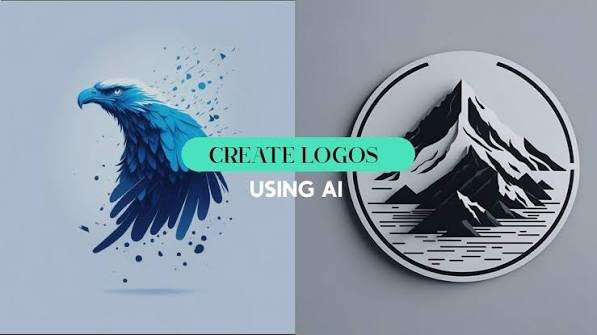
logo using AI
Get clear on what your business represents
Before opening a logo generator, write down what your business does and what makes it different. Think about your target customers, the products or services you offer, and the impression you want to leave.
For example, a handmade candle brand might want to feel warm and natural, while a technology startup might prefer something modern and straightforward. These details will guide your design choices and help you avoid a logo that looks attractive but doesn’t fit the business.
Turn your ideas into a useful prompt
AI works better when you explain what you’re looking for instead of asking it to create a logo for a business without further context.
Include your business name, industry, preferred style, colors, and any symbols you’d like to explore. For example: “Create a minimalist logo for a small organic skincare brand using earthy green tones and a simple leaf symbol.”
PosterMyWall’s AI Chat can help you explore design ideas through prompts. Try different descriptions to see how changes in style or imagery affect the results.
Explore several logo concepts
Don’t settle on the first design you see. Generate a few different directions and compare them. One concept might use a symbol, another might focus on the business name, and a third could combine both.
Look beyond which option looks most impressive at first glance. Ask whether each design suits your customers, communicates the right personality, and could still work as your business grows. Save your strongest options so you can compare them side by side.
Choose colors and fonts that fit
Once you have a promising concept, focus on its visual details. Colors can influence how a brand feels, while typography affects its personality and readability.
A children’s toy store might use bright colors and rounded lettering, while a professional consultancy may benefit from a more restrained palette and clean typography. Keep the design manageable by starting with two or three colors and avoiding too many competing font styles.
Refine the design with a logo generator
After narrowing down your ideas, use a dedicated logo tool to develop the concept further. PosterMyWall’s AI Logo Generator can help you explore logo concepts based on your business and preferred style.
Review the results carefully. Check the spelling of your business name, the appearance of the symbol, and whether the design matches your original brief. AI-generated logos may need adjustments, so treat the output as a starting point rather than a finished brand identity.
Test the logo outside the design canvas
A logo that looks good on a large screen might not work as a tiny social media profile picture or on a printed label. Try placing it in the situations where customers will actually see it.
Check it on a website header, business card, product packaging, or promotional poster. If your concept includes a photograph or a complex background, a tool such as an AI background remover can help prepare supporting visuals. For the logo itself, a clean, scalable graphic is usually more practical.
Check the details before using it publicly
Before launching your logo, make sure the design is original enough to distinguish your business from others. Search for similar logos and business names, particularly within your industry.
Also check the file formats available for download and the licensing terms for commercial use. If the logo will become central to your brand, consider checking relevant trademark databases or seeking professional advice. A little preparation now can save you from having to change the design later.
Conclusion
Turning a business idea into a logo starts with understanding your brand, then using AI to explore and refine visual concepts. Clear prompts, thoughtful design choices, and real-world testing will help you get a more useful result than relying on a single generated image. Take time to check the final design before putting it on your website, packaging, or marketing materials.
FAQs
What information should I give an AI logo generator?
Provide your business name, industry, target audience, preferred colors, and the style you want. Reference images or examples can also help clarify your direction.
Can AI create a unique logo for my business?
AI can generate concepts, but similar designs may exist elsewhere. Review your options carefully and check for potential conflicts before using a logo commercially.
Should I use an AI-generated logo exactly as it is?
Not necessarily. Check the text, symbols, spacing, and overall fit with your brand. You may need to refine the design before using it publicly.
What file format should I use for my logo?
PNG works for many digital applications, while SVG or another vector format is useful when you need to scale a logo without losing quality. Check the formats available from your chosen tool.
Can I redesign my logo as my business grows?
Yes. You can update your logo as your business evolves, but keep recognizable elements where possible so existing customers can still identify your brand.
About the Author